Chat and Evaluation · Model evaluation
Evaluate a model
Build a small evaluation loop that makes response quality, token use, estimated cost, and failure modes visible.
An EidoStack evaluation is a controlled set of chats used to decide whether a model fits a real workload. The workspace shows the response, context use, token counts, and estimated cost, but it does not calculate a universal quality score. Define success for the workload first, then use those signals to make the trade-off visible.
Define the decision before opening a chat
Write down the choice you need to make: for example, whether a candidate model can return valid structured summaries within an acceptable cost range. Choose representative prompts, include known edge cases, and define the conditions that make an answer unacceptable.
A useful rubric contains a small number of observable checks:
| Criterion | Example question |
|---|---|
| Instruction following | Did the response obey the requested format and constraints? |
| Task quality | Is the answer accurate, complete, and useful for the intended task? |
| Failure behavior | Does it refuse, omit a requirement, or make an unsafe claim in a way your product can handle? |
| Context fit | Does it use the required conversation history without exceeding the model’s available context? |
| Operational fit | Are token use and estimated cost reasonable for the volume you expect? |
Avoid treating one impressive response as a conclusion. A short, deliberately chosen prompt set gives you more useful evidence than many unrelated chat demonstrations.
Configure a controlled baseline
- Create a new chat for the evaluation.
- Select the first candidate model.
- Set the system prompt that your application would use, if any.
- Select Full History, Recent Messages, or Semantic Memory.
- Send the same baseline prompt that you will use for each candidate.
Keep those inputs unchanged while comparing models. If you want to test a different instruction, context strategy, or prompt revision, run it as a named follow-up condition rather than silently changing it halfway through the same comparison.
The Sys Prompt control stores a chat-level instruction. The Context Memory control stores the chat’s context policy, so the conversation can be revisited with the same configuration. Read System prompts and Context memory for the details.
Assess the response before the metrics
Read the answer against the rubric and record the specific evidence: a missing field, an unsupported claim, a correct edge-case treatment, or a useful explanation. Responses are rendered in the chat with their model identity, which lets you review the result later without relying on memory.
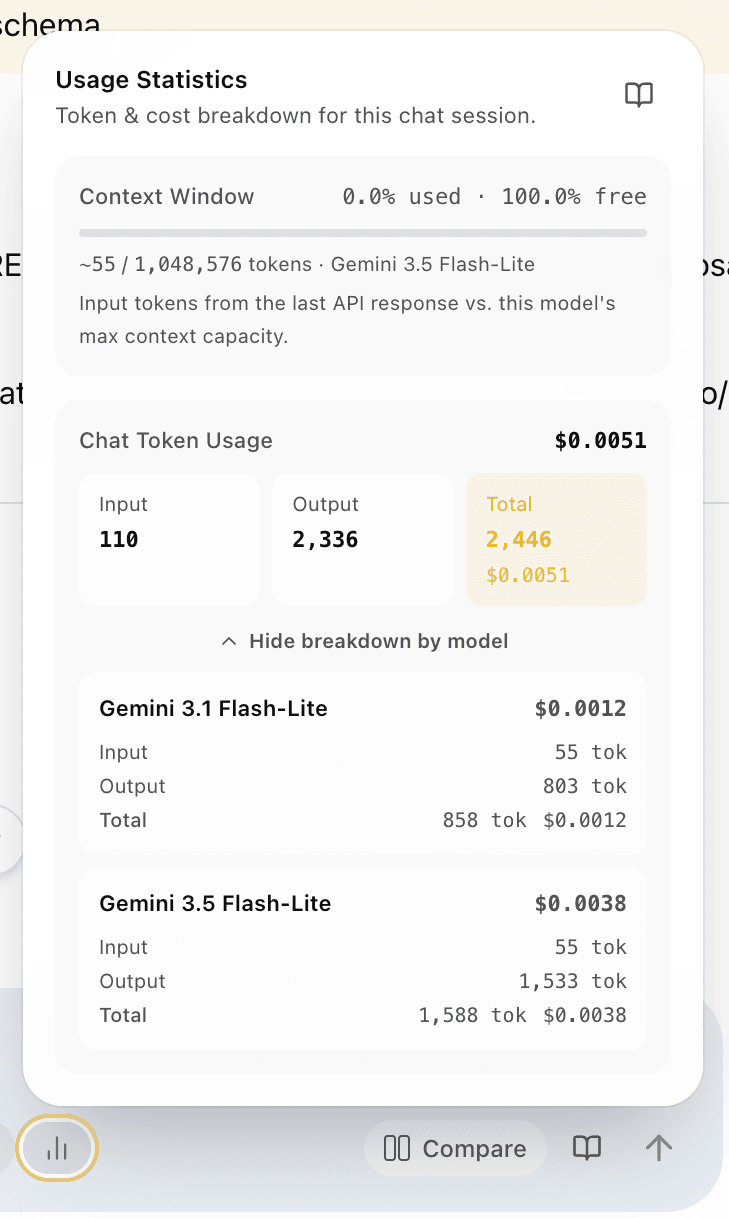
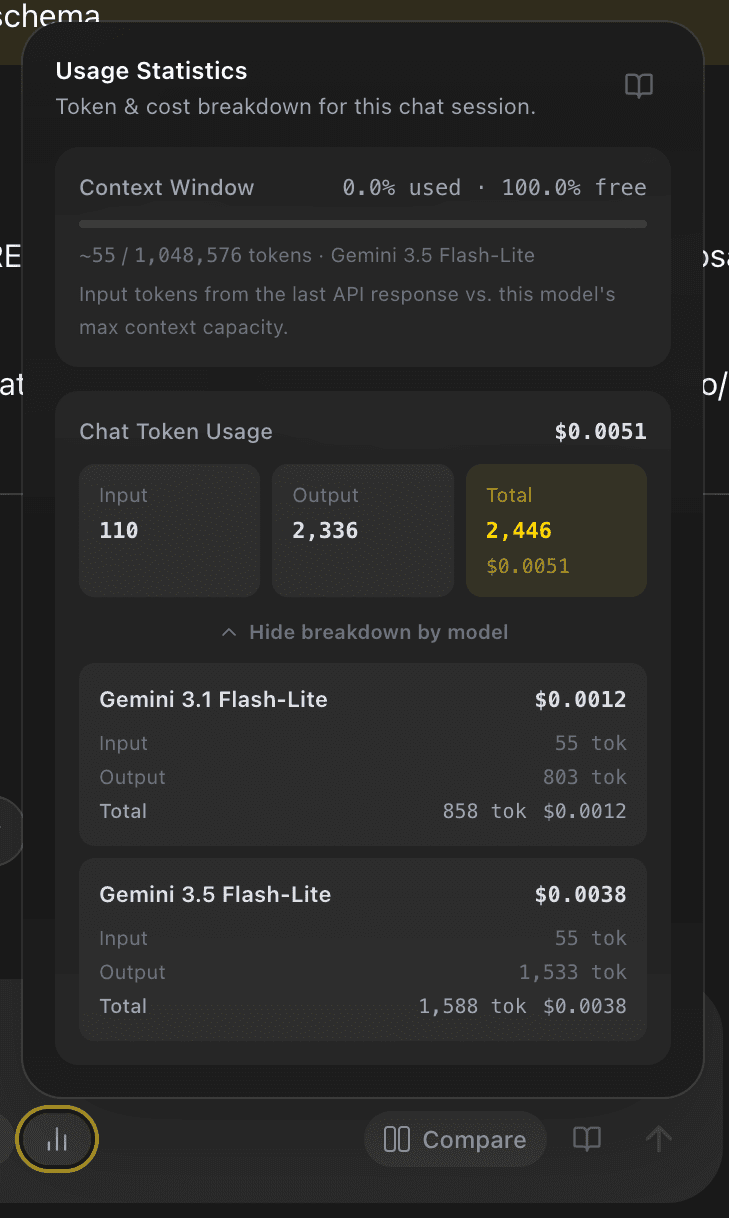
Then open the chat usage button to inspect input and output token totals, estimated cost, context capacity, and, if multiple models were used, the breakdown by model. Those figures explain the cost of the observed behavior. They are not a substitute for your provider’s billed usage or for human quality review.
Compare candidates and edge cases
When your plan includes comparison mode, turn on Compare 
 and run the same prompt through two selected models at once. EidoStack streams and retains the two responses side by side, which makes wording, completeness, and failure modes easier to inspect under the same request conditions. See Compare model responses.
Repeat the controlled baseline with representative edge cases. If an output depends on earlier conversation, test the same case with the appropriate Full History, Recent Messages, or Semantic Memory setting. A model that is excellent for a short, isolated prompt can have a different cost or reliability profile when history is included.
Reach a decision you can revisit
Choose the model that meets the non-negotiable quality and safety criteria, then compare the remaining candidates on context capacity, token use, and estimated cost. Preserve the chats that support the decision by naming them clearly, pinning them, or placing them in an evaluation folder.
EidoStack helps you retain the evidence in the workspace; record any production rollout decision, acceptance threshold, or monitoring plan in the system your team uses for delivery work. Continue with Usage, tokens, and costs when you need a wider view of the cost profile.