Support
Contact support
Send a support request from the workspace or contact EidoStack through the public site.
Updated July 28, 2026
Use EidoStack support for account access, a product issue, a feature request, or a general question about the workspace. Do not include passwords, vault master passwords, provider API keys, full payment-card details, or other secrets in a support message.
Send a request from the workspace
- Open the user menu in the workspace header.
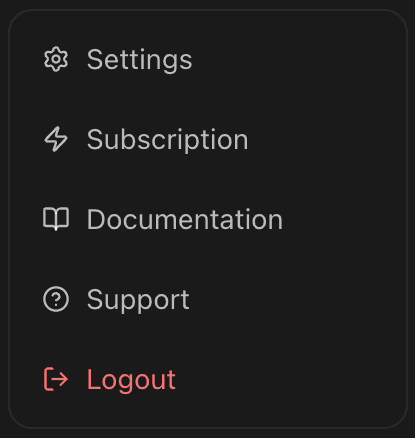
- Select Support.
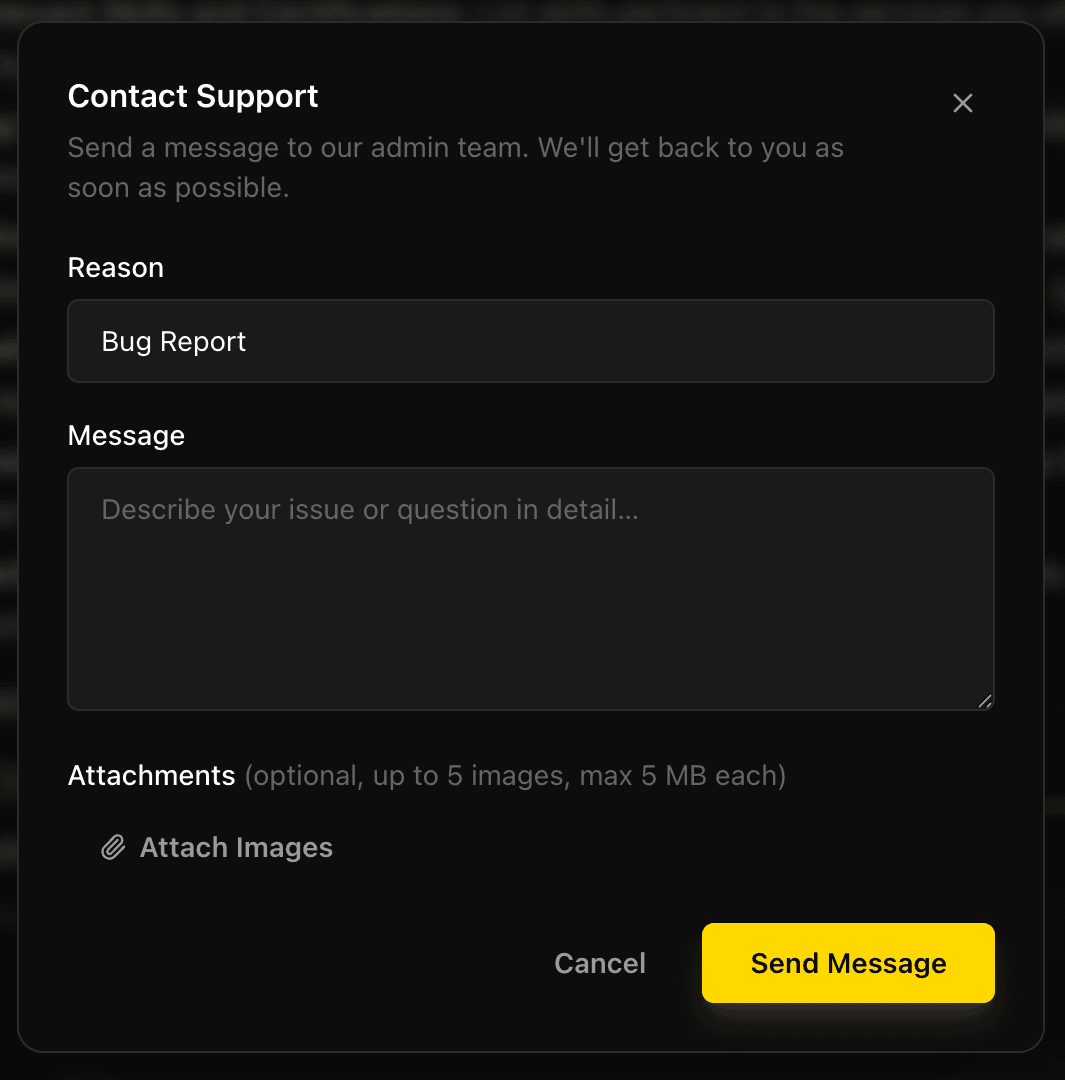
- Choose a Reason: General Inquiry, Bug Report, Feature Request, or Account Issue.
- Enter a message with at least 10 characters.
- Optionally attach supporting images, then select Send Message.
When the request succeeds, the dialog confirms that the support team has received it. If sending fails, keep the message details available and try again after checking your connection.
Attach useful evidence safely
The in-app form accepts up to five image attachments. Each image can be JPEG, PNG, GIF, or WebP, with a maximum size of 5 MB. Attach a focused screenshot of the visible error or unexpected UI state when it helps explain the problem.
Before attaching an image, remove or obscure secrets and personal information. In particular, never include a provider key, vault password, reset link, full billing credential, or unredacted customer data. Support can investigate a model-request problem from the selected model, a timestamp, and a redacted error message without receiving a secret.
Contact support outside the workspace
If you cannot sign in, use the public EidoStack contact page or email support@eidostack.com. Include the email address associated with the account and a concise description of what happened. For a password issue, first follow Sign in and recover access so you can use the self-service recovery flow.
The public site states that Pro subscribers receive priority support with a stated response target of 24–48 hours. Do not treat that as an emergency service or share sensitive credentials while waiting for a response.
Ask about plans, access, or refunds
The current app does not provide a self-service Pro checkout; the Request Pro access action directs preview access questions to support. Include the account email and the access issue, but do not send provider keys.
For a refund request, email support@eidostack.com with the subject REFUND [Order ID] and include the account email, purchase date, plan, amount, currency, and an invoice, receipt, order, or transaction identifier when available. Provider API charges are not EidoStack subscription charges, so questions about a provider invoice, quota, or provider-key activity must go to that provider.
For product workflows you can resolve yourself, continue with Manage your account, API key vault, or Plans, limits, and billing.