October 26, 2026
More Control Over Context and Chat History in EidoStack!
Explore EidoStack’s None and System Prompt Only context strategies, plus individual chat message deletion, to control exactly what an AI model receives with each request.

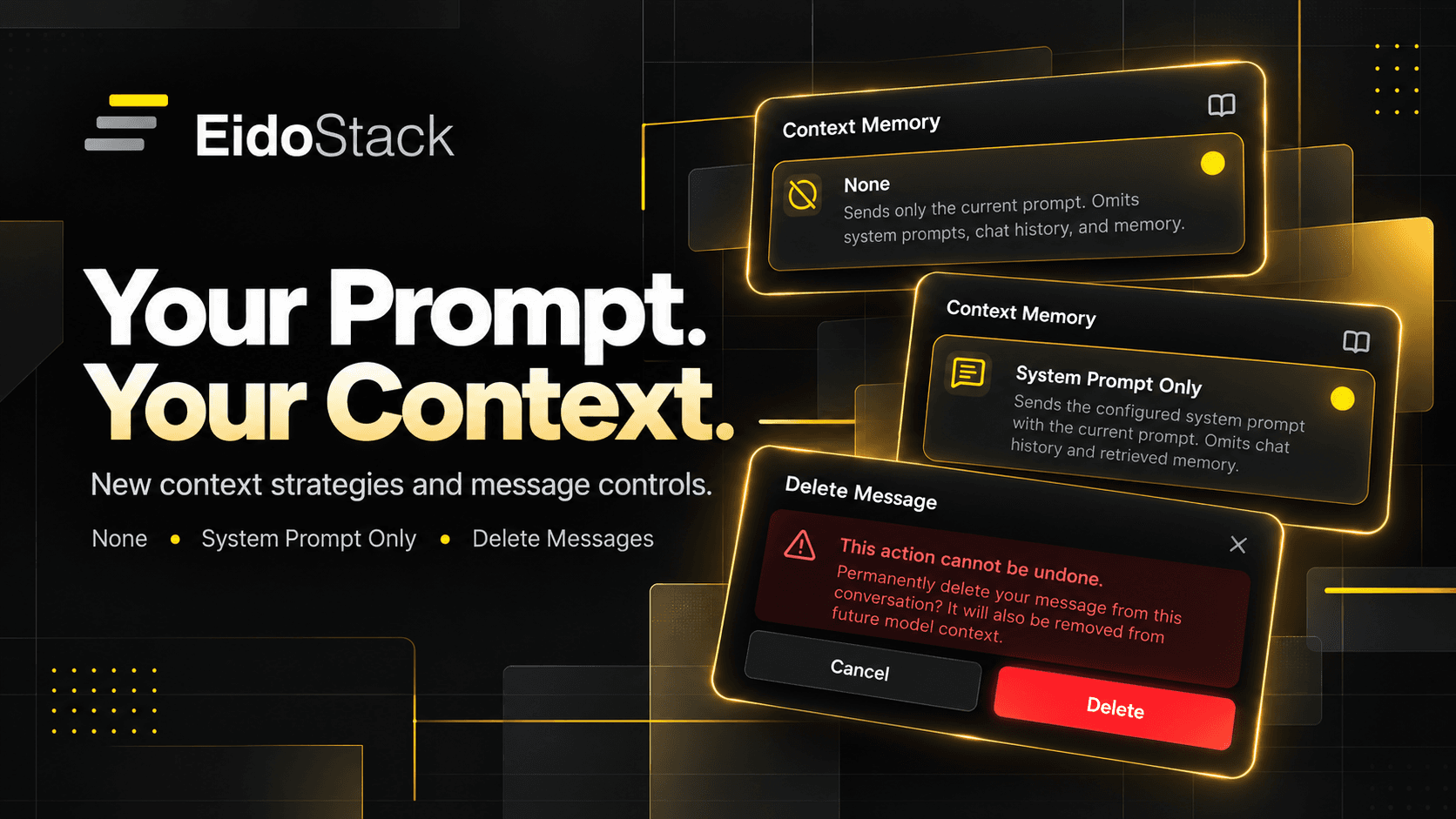
I'm continuing to improve EidoStack, and today I'd like to share three new features that are already available in the Playground!
You can now completely disable context, send only your system prompt along with the current message, and delete individual messages from your chat history.
At first glance, these might seem like small changes. But they address one of the main reasons I'm building EidoStack — to give developers more control over exactly what an AI model receives with each request.
When experimenting with AI models, it's not just about the prompt you send. The context that accompanies it can be just as important.
And now managing that context is a little easier.
None — Start Every Request with a Clean Slate
Imagine you're testing how well a model handles a particular task.
You send your first prompt, get a response, make a small adjustment to the wording, and decide to try again.
But here's something worth considering.
If the model receives the previous conversation history, its second response might be influenced by the first experiment. That makes it harder to understand how much of a difference your prompt changes actually made.
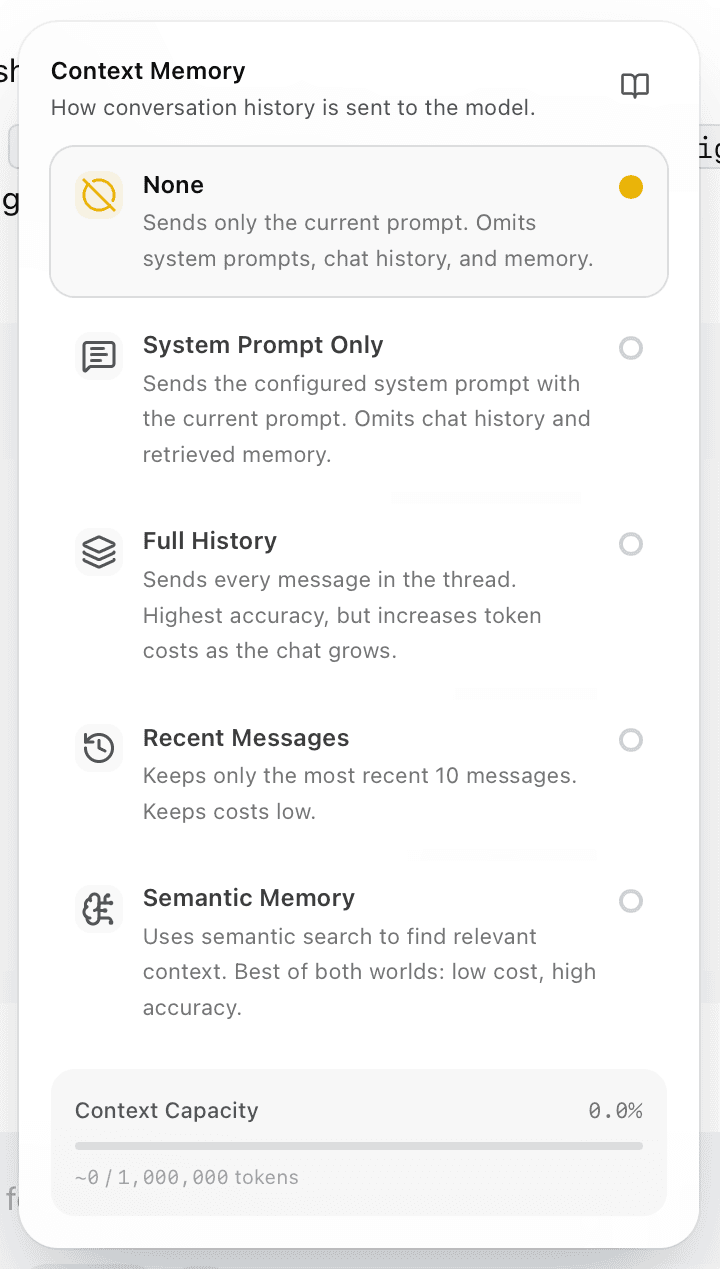
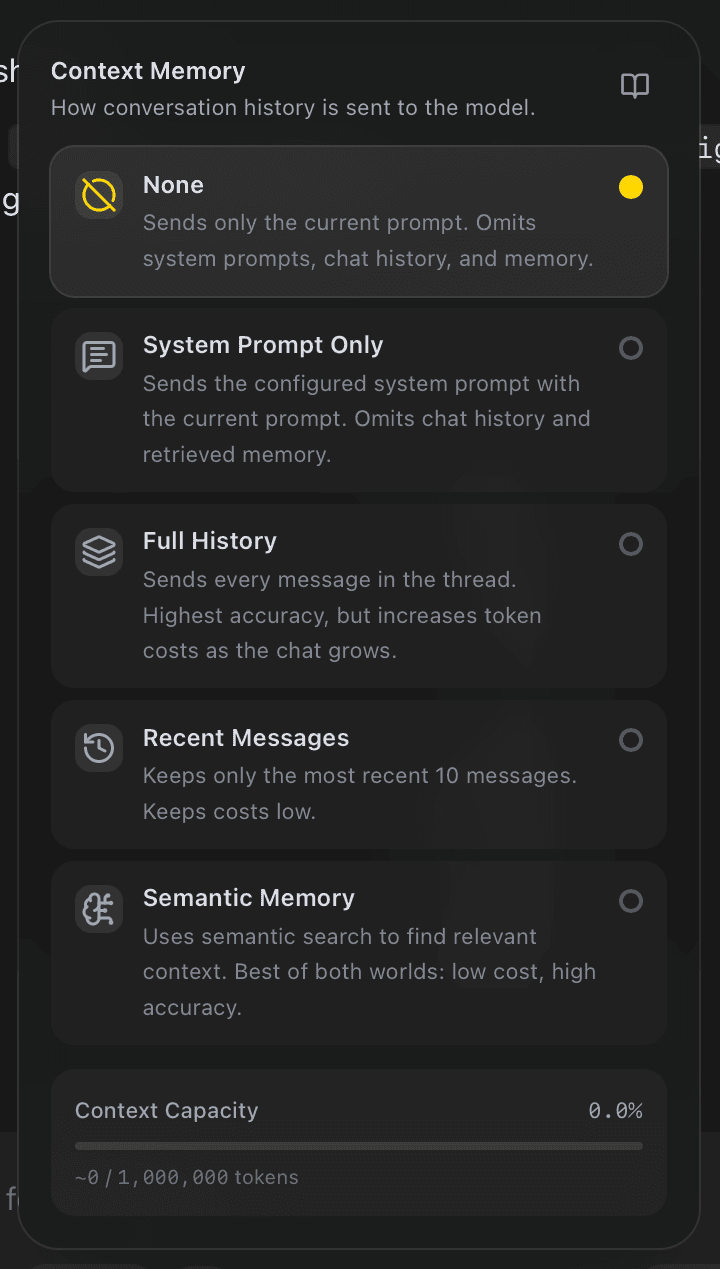
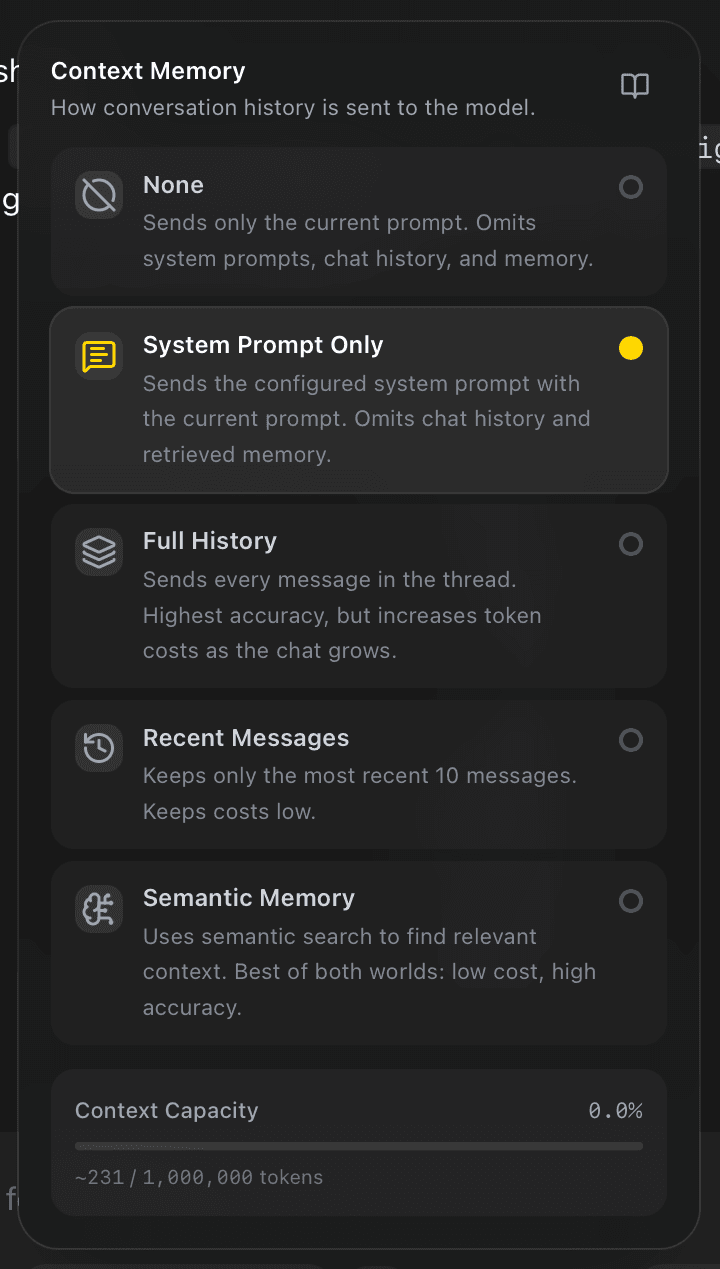
That's why I've added a new context strategy called None.
With this strategy, EidoStack sends only your current message to the model. No previous conversation history, no system prompt, and no additional information from memory.
Each request is processed independently of the previous ones.
For example, you can send several similar JSON generation tasks, adjust the instructions each time, and observe how the model responds.
And you don't need to create a new chat every time just to prevent previous messages from influencing the results.
I think this is particularly useful for prompt experimentation and comparing the behavior of different AI models.
System Prompt Only — Test Your System Instructions
There's another interesting use case.
Let's say you're building an AI assistant that needs to respond to users in a specific format.
You've prepared a system prompt like this:
"You are a technical assistant. Keep your answers concise, use Markdown, and always include a code example when the question involves programming."
Now you want to see how consistently the model follows these instructions across different requests.
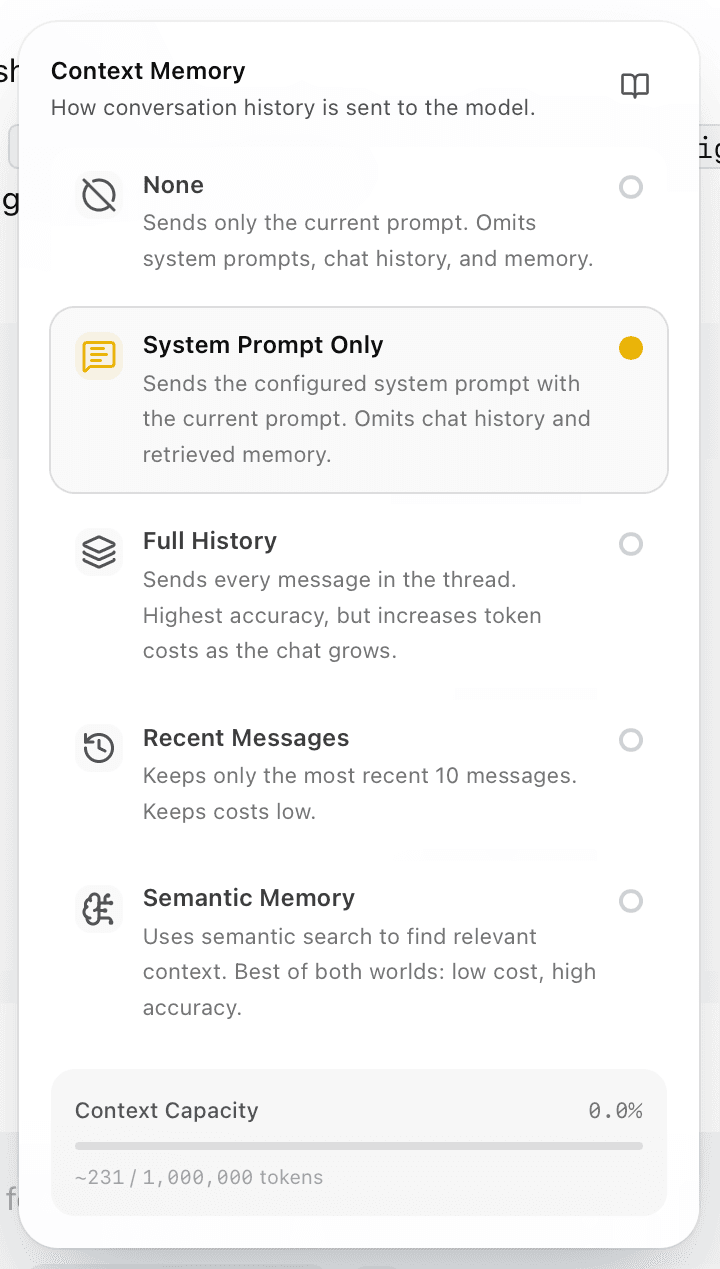
That's where another new strategy comes in — System Prompt Only.
Unlike None, this strategy sends two things to the model:
- Your system prompt.
- The current user message.
The previous conversation history is completely excluded.
This means you can send different requests with the same system instructions and see how the model behaves in each independent case.
For example, you might ask it to explain React Hooks, then troubleshoot a TypeScript error, and finally write an SQL query.
Each response will be generated using the same system instructions, without being influenced by previous questions or answers.
This is useful when building AI assistants, testing system prompts, and evaluating how reliably different models follow specific instructions.
By the way, if you haven't configured a system prompt, System Prompt Only behaves essentially the same as None — only the current message is sent to the model.
Delete Individual Messages from Chat History
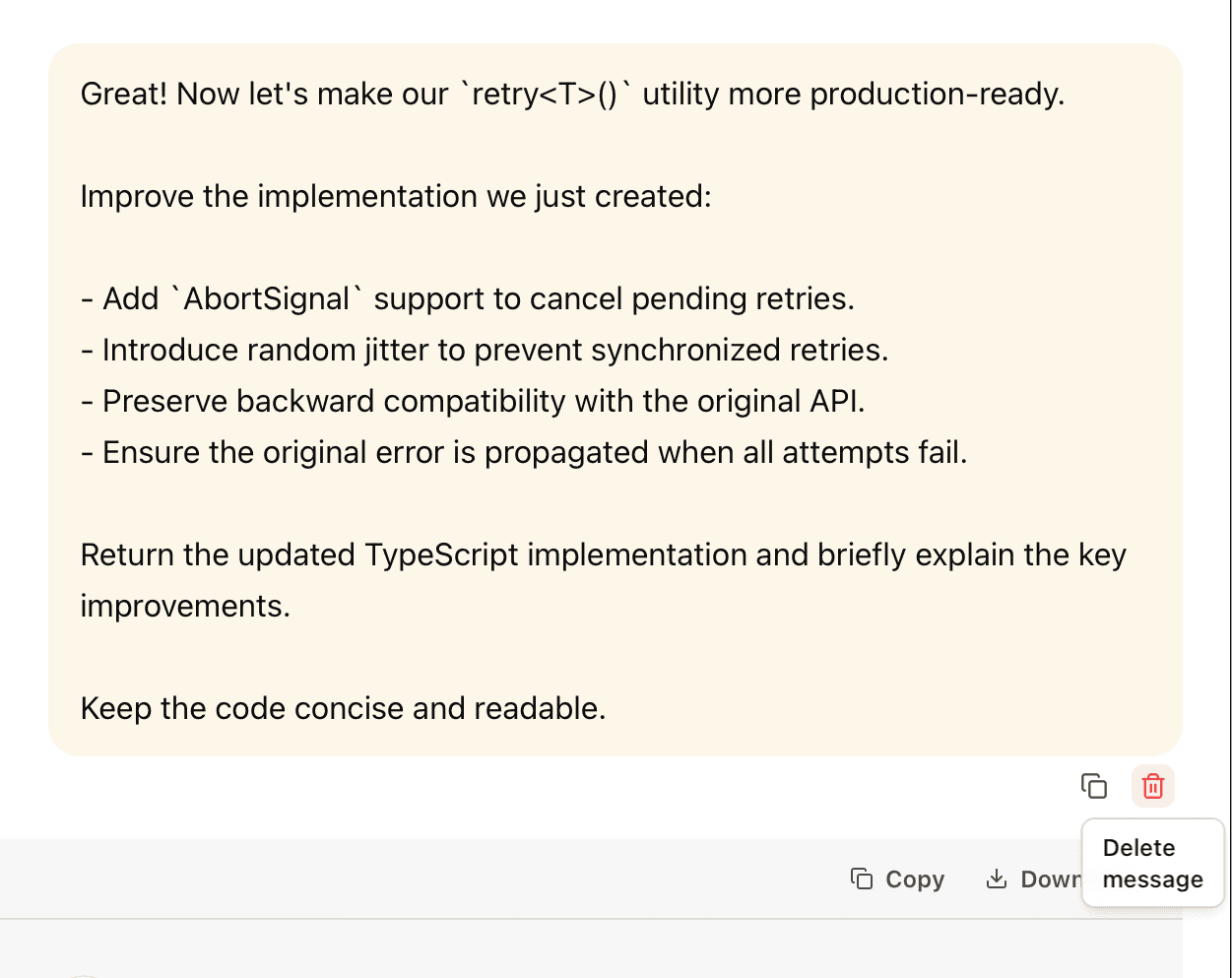
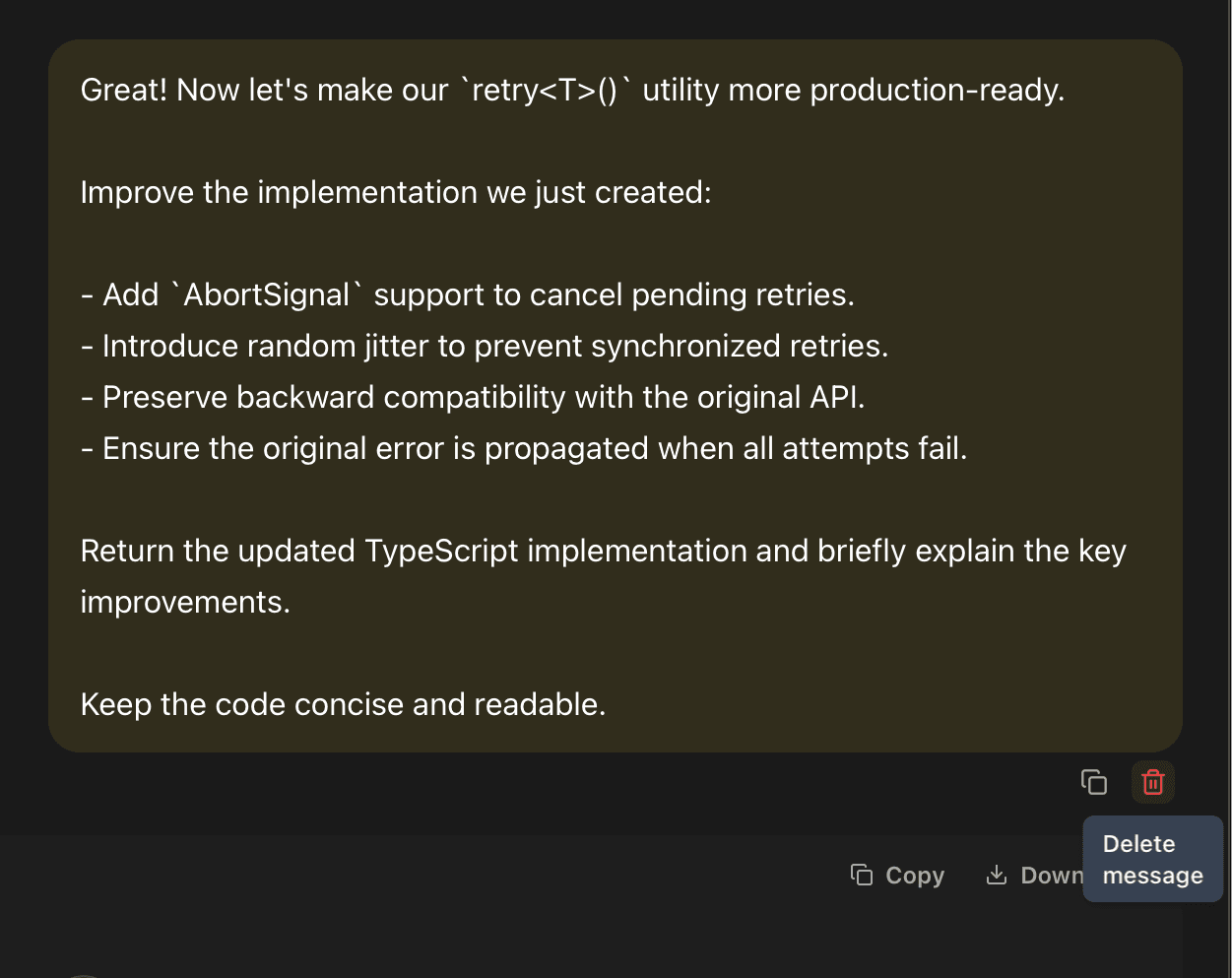
Another feature I've wanted to add for a while is the ability to delete individual messages.
When experimenting with AI models, your chat history gradually fills up with different prompts, intermediate results, and unsuccessful attempts.
Sometimes you just want to remove a specific message while keeping everything else.
Now you can do exactly that in EidoStack.
You can delete both your own messages and AI-generated responses. All other messages remain in their original order.
But there's one important detail.
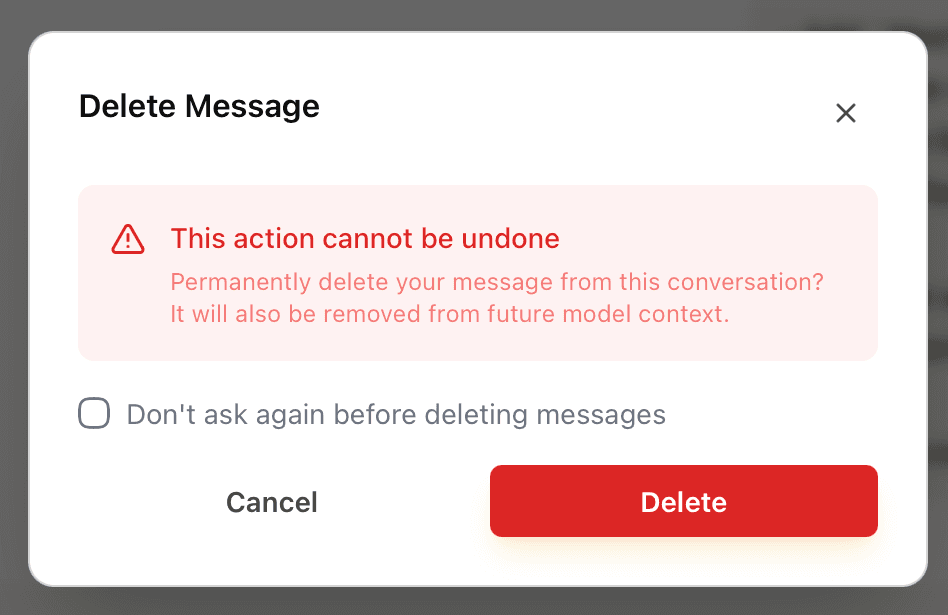
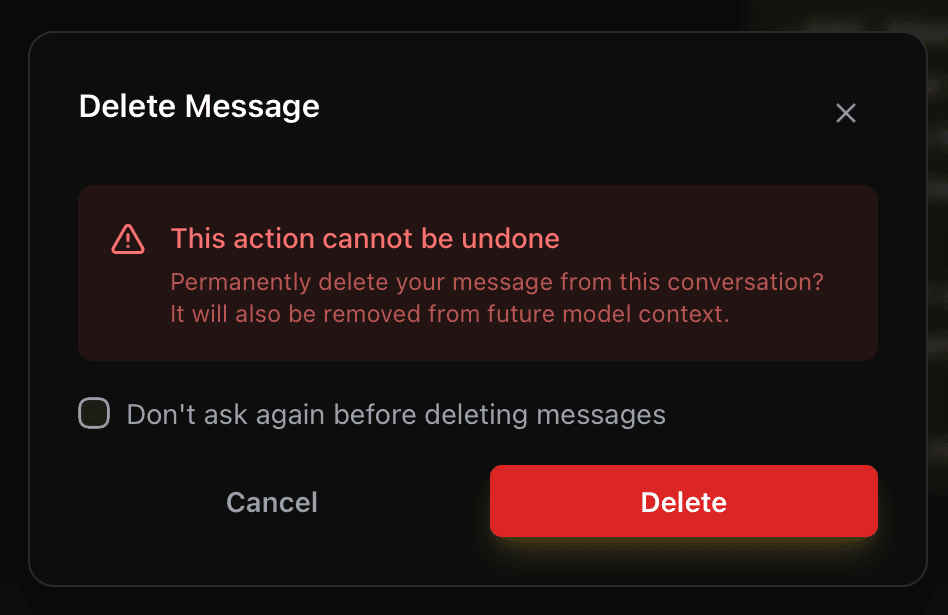
A deleted message doesn't just disappear from the interface — it's also excluded from the context of future requests.
Let's say you've been discussing an application's architecture with a model, but then sent a few experimental prompts that are no longer relevant to the main topic.
You can now delete those messages and continue the conversation without including them in the context sent to the model.
Deletions are saved, so the messages won't reappear after refreshing the page.
To prevent accidental deletions, I've also added a confirmation dialog. And if you frequently manage your chat history and don't want to confirm every action, you can simply select Don't ask again before deleting messages.
After that, you can delete individual messages without additional confirmations.
Let's Try the New Features in EidoStack
I've always wanted EidoStack to be more than just another interface for chatting with AI models. I want it to be a tool where developers can experiment with how these models behave.
And these new features are another small step in that direction.
You can now open the Playground, choose a model, and try different versions of the same prompt using different context strategies.
Start by sending a prompt with None, then try System Prompt Only, and finally switch to Full to see how conversation history affects the response.
You can also track token usage and API costs along the way, allowing you to evaluate not just the results but also the resources each model consumes.
And if your chat history contains messages you no longer need, you can delete them without affecting the remaining conversation.
All three features are already available in EidoStack.
I'll keep working on making AI model testing and comparison easier, while giving developers more control over every request.
After all, even a small change in context can make a noticeable difference in a model's response. And I want EidoStack to make those differences easy to explore.